Jump to content
View in the app

A better way to browse. Learn more.

Fórum - MuAwaY

A full-screen app on your home screen with push notifications, badges and more.

To install this app on iOS and iPadOS
  1. Tap the Share icon in Safari
  2. Scroll the menu and tap Add to Home Screen.
  3. Tap Add in the top-right corner.
To install this app on Android
  1. Tap the 3-dot menu (⋮) in the top-right corner of the browser.
  2. Tap Add to Home screen or Install app.
  3. Confirm by tapping Install.

gui_bk_pit

Jogador
  • Joined

  • Last visited

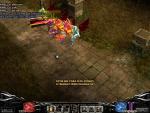
  1. Eu estava logado no mu jogando normal e tomei dc e intaum fui logar de novo e nao carrego mais a barra de atualizaçao dai fiz logof e tentei de novo e nao deu reiniciei e tentei de novo e nao deu desliguei pc e liguei novamente e tentei de novo e nao deu e nao sei mais o que eu faço ele ate entra e tal mais nao carrega a barra de atualizaçao e quando entra eu levo dc novamente --* por favor alguem me ajuda ?

Configure browser push notifications

Chrome (Android)
  1. Tap the lock icon next to the address bar.
  2. Tap Permissions → Notifications.
  3. Adjust your preference.
Chrome (Desktop)
  1. Click the padlock icon in the address bar.
  2. Select Site settings.
  3. Find Notifications and adjust your preference.