Pau-NaXoTa
Jogador
-
Joined
-
Last visited
-
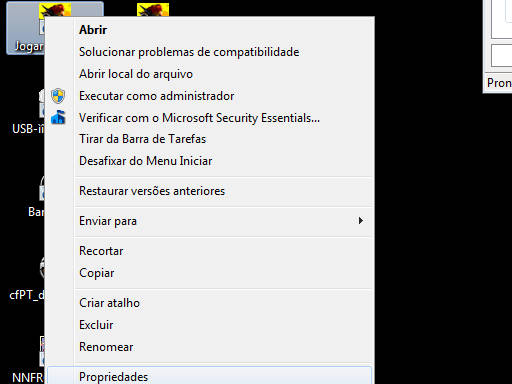
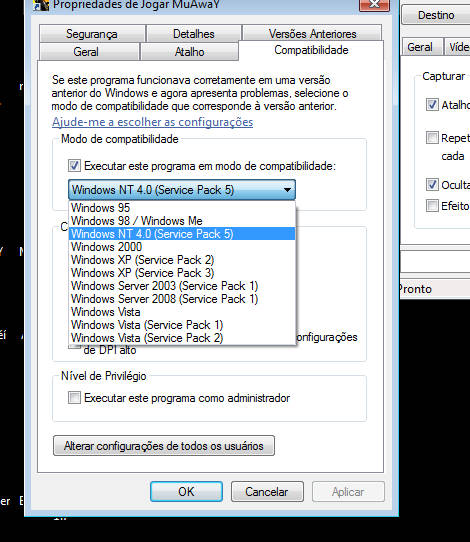
Muitos Plyers quando vão trocar itens acabando tomando DC = Disconnect Alguns falam seu iten ta bugado mas as vezes nao e o iten e sim sua com compatibilidade e para evitar esse Dc venho aki posta um Tutorial Primeiro Clique no icone do Mu Away ( jogar.exe ) com o butão direito e va em propriedades: [attachment=5423:bandicam 2012-05-08 14-56-31-891.jpg Depois cliquem em compatibilidade e façam o mesmo esquema da imagem ai e so dar Ok: [attachment=5423:bandicam 2012-05-08 14-56-31-833.jpg Após isso e so executar o mu normalmente e pronto Obs: meu primeiro post, por tanto se a alguns erros me falem para min poder no proximo evoluir minha qualidade. Se após isso você continuar a tomas Disconnect ao encostar em algum iten recomendo formatar seu computador. Brigado!!!