xOsias-Ts
Jogador
-
Joined
-
Last visited
Everything posted by xOsias-Ts
-
 Mega_xP
 -
Alguem tutorial para saber qual PID cadastrei em minha acc ?
-
Quem são os revendedores oficiais ? ou onde vejo a lista.
-
Olá , gostaria de saber que o evento mata mata no trade 6 , que segundo o Admin iria ser realizado as 20:00 ainda vai acontecer ?
-
C>3 RLK +15 +3 APOS = 6 SW CHR SMT
-
Mega_xP Senhor_- lobo
-
Olá gostaria de saber o link do Shopping de golds event pois tenho muitos na minha acc
-
olá, alguem sabe informar se quem estiver online na versao old (trade 6) recebera o bonus de amanha tambem ?
-
Olá, Estou tentando trocar meu email da acc,porem o códico de segurança nao chega no email. oque pode ser ... ?
-
Olá Gostaria de um tutorial sobre: como deixar um iten +15 , no meu caso ele esta +13
-
xOsias-TS
-
Vendo SET SANTA +15 =6 RLK quem offer responde aki ou vai trade 1 mv devias4
-
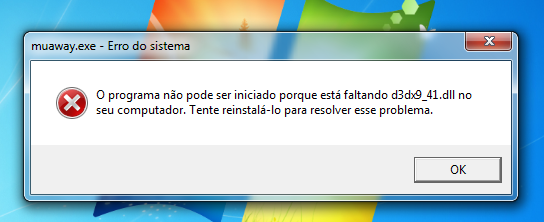
Alguem pode me ajudar ,hj no meu launcher apareceu esse erro ,eu ja reinstalei e nada oq eu faço ?
-
Alguem sabe um tutorial Do efeito da seguinte gif.
-
Nao tem como Excluir.
-
-
Lol muito rox show \õ/
-
-
fica em 350 de lvl.
-
Segue : http://www.adobe.com...oshop&loc=pt_br
-
5 minutos
-
Visualize esse topico amigo: http://forum.muaway....dsways-e-soluca
-
Alguem Sabe Os ganhadores do Mt-Mt de hj de manha
-
Servidor se encontra online.
-
Basta proceder com o tutorial à seguir : http://forum.muaway....ar-comentarios/