FelipheFelix
Jogador
-
Joined
-
Last visited
-
esse tutorial não funciona http://forum.muaway.net/index.php?/topic/347898-tutorial-para-voce-retirar-o-erro-104-de-seu-computador/ , eu tenho que baixar o MuAway de novo? não tem como fazer um patch para tirar esse erro, a minha net é lenta e para baixar o MuAway de novo demora mais de 5 Horas.
-
Vou deixar de jogar o MuAway é cheio de erros
-
Ja re-instalei , e o Tutorial não resolve
-
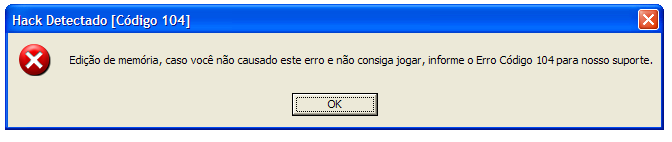
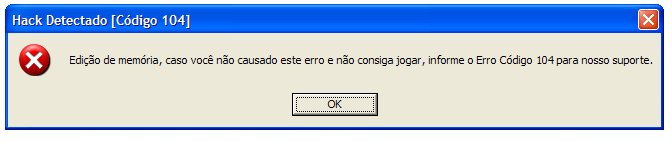
ERRO 104
-
Não tem como jogar, só fica 1 Minuto on depois trava
-
Master_-, em 23 February 2013 - 10:13 PM, disse: Esse bug que estava ocorrendo em nosso servidor ao longo do dia já foi sanado, então você irá proceder com o Tutorial para sanar o Error 104 : http://forum.muaway.net/index.php?/topic/347898-tutorial-para-voce-retirar-o-erro-104-de-seu-computador/ Esse Tutorial não funciona
-
Erro 104