Jump to content
View in the app

A better way to browse. Learn more.

Fórum - MuAwaY

A full-screen app on your home screen with push notifications, badges and more.

To install this app on iOS and iPadOS
  1. Tap the Share icon in Safari
  2. Scroll the menu and tap Add to Home Screen.
  3. Tap Add in the top-right corner.
To install this app on Android
  1. Tap the 3-dot menu (⋮) in the top-right corner of the browser.
  2. Tap Add to Home screen or Install app.
  3. Confirm by tapping Install.

Spankem

Jogador
  • Joined

  • Last visited

Everything posted by Spankem

  1. GENTE EU OLHEI ESSES TUTORIAL FIZ EXATAMENTE O QUE PEDIU MAIS NAO DEU CERTO, ME AJUDEM ...
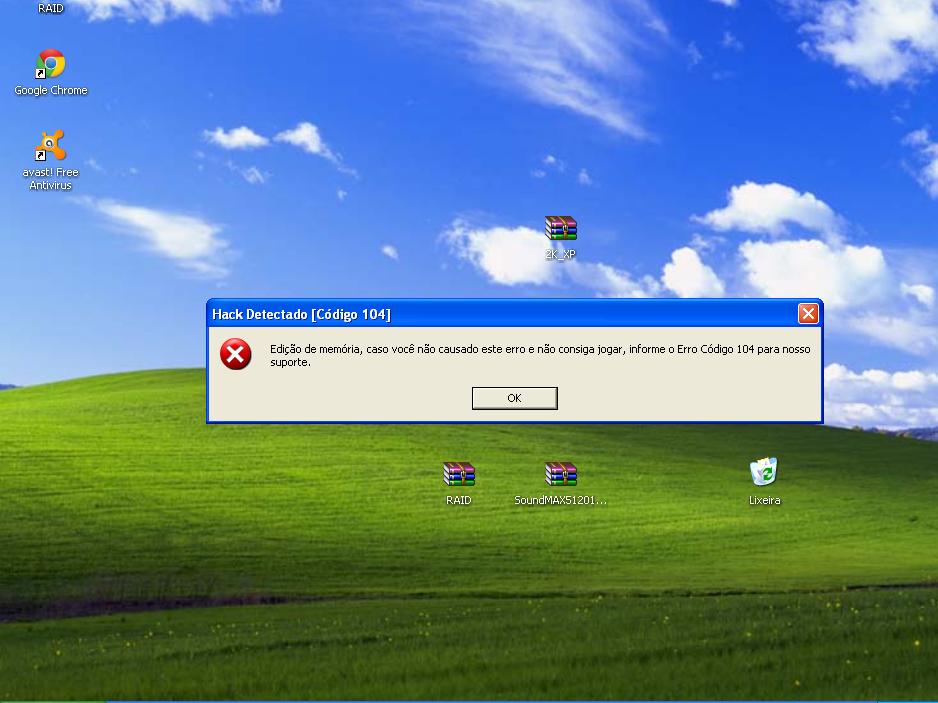
  2. gente preciso muito de ajuda por favor, estou com um erro do mu e não abre, ta dizendo que eu estou usando hacker , mais eu não to, o mu ate abre mais não aparece os server para poder entrar, eu já desinstalei muitas vezes e instalei de novo, já baixei de novo mais nada funciona por favor ajudem. segue o print da tela que aparece antes do mu Abrir
Configure browser push notifications

Chrome (Android)
  1. Tap the lock icon next to the address bar.
  2. Tap Permissions → Notifications.
  3. Adjust your preference.
Chrome (Desktop)
  1. Click the padlock icon in the address bar.
  2. Select Site settings.
  3. Find Notifications and adjust your preference.