Jump to content
View in the app

A better way to browse. Learn more.

Fórum - MuAwaY

A full-screen app on your home screen with push notifications, badges and more.

To install this app on iOS and iPadOS
  1. Tap the Share icon in Safari
  2. Scroll the menu and tap Add to Home Screen.
  3. Tap Add in the top-right corner.
To install this app on Android
  1. Tap the 3-dot menu (⋮) in the top-right corner of the browser.
  2. Tap Add to Home screen or Install app.
  3. Confirm by tapping Install.

Lustre_

Jogador
  • Joined

  • Last visited

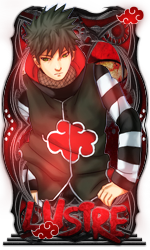
  1. Nick: Lustre Tema: Nardack (Qualquer render)
  2. Ae manim presenti tu corta
  3. Participando
  4. Participando
  5. Tae man, rsrs Voce corta
  6. Ae doido, fiz pensando em tu Se tu for usar tu corta, fiquei tanto tempo sem mexer no PS que esqueci com corta sign '-'
  7. Participando
  8. To sem pratica Tanto tempo sem fazer sign
  9. pessoal, podem me informe de que tema é essa render?
  10. Fico muito feliz por você ter citado meu nick no seu elogio. E mais feliz ainda por saber que alguns membros admiram meu trabalho Obrigado pelo reconhecimento.
  11. Aceita não mano, Lanza é mito nos bang :/
  12. Ae man vi uma sign com esse stylo de borda e curti E to te dando Porque fico legal com seu nick Espero que goste Se quiser avatar só avisar que faço

Configure browser push notifications

Chrome (Android)
  1. Tap the lock icon next to the address bar.
  2. Tap Permissions → Notifications.
  3. Adjust your preference.
Chrome (Desktop)
  1. Click the padlock icon in the address bar.
  2. Select Site settings.
  3. Find Notifications and adjust your preference.
