JaapaVinyBR
Jogador
-
Joined
-
Last visited
-
O erro é o seguinte: "O recurso que você está tentando usar está em um recurso de rede que não se encontra disponível. Clique em OK para tentar novamente ou insira um caminho alternativo para uma pasta que contenha o pacote de instalação 'MuAwaY_Setup_v2.31.3.msi' na caixa abaixo.". Print do erro: https://prnt.sc/t4hr14 /// Agradeço a ajuda.
-
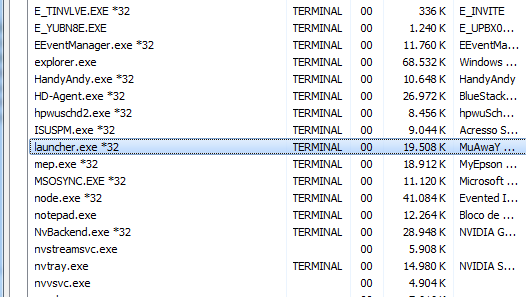
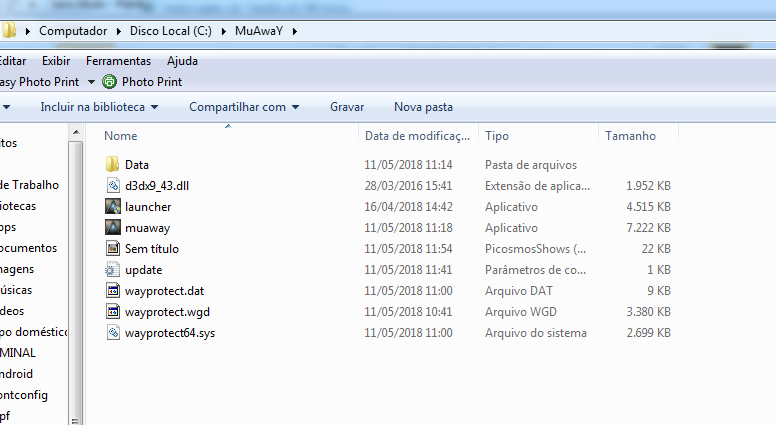
Bom dia. Sou membro antigo da comunidade e venho sofrendo com um problema hoje de manhã. Baixei o jogo em um computador diferente, e toda vez que tento abrir o mesmo, nada aparece. Literalmente. Eu dou dois clicks em "Launcher.exe" e nada acontece. A mesma coisa acontece com "muaway.exe". Fui olhar no gerenciador de tarefas, e aparece como se o Launcher.exe estivesse executando, mas nada aparece na minha tela. Agradeço todo tipo de ajuda!