EagoraJose
Jogador
-
Joined
-
Last visited
-
Eu coloquei como modo janela, eu estou conseguindo ficar online no servidor, qnd eu ataco alguem q tomo o DC, nao sei pq isso ta acontecendo..
-
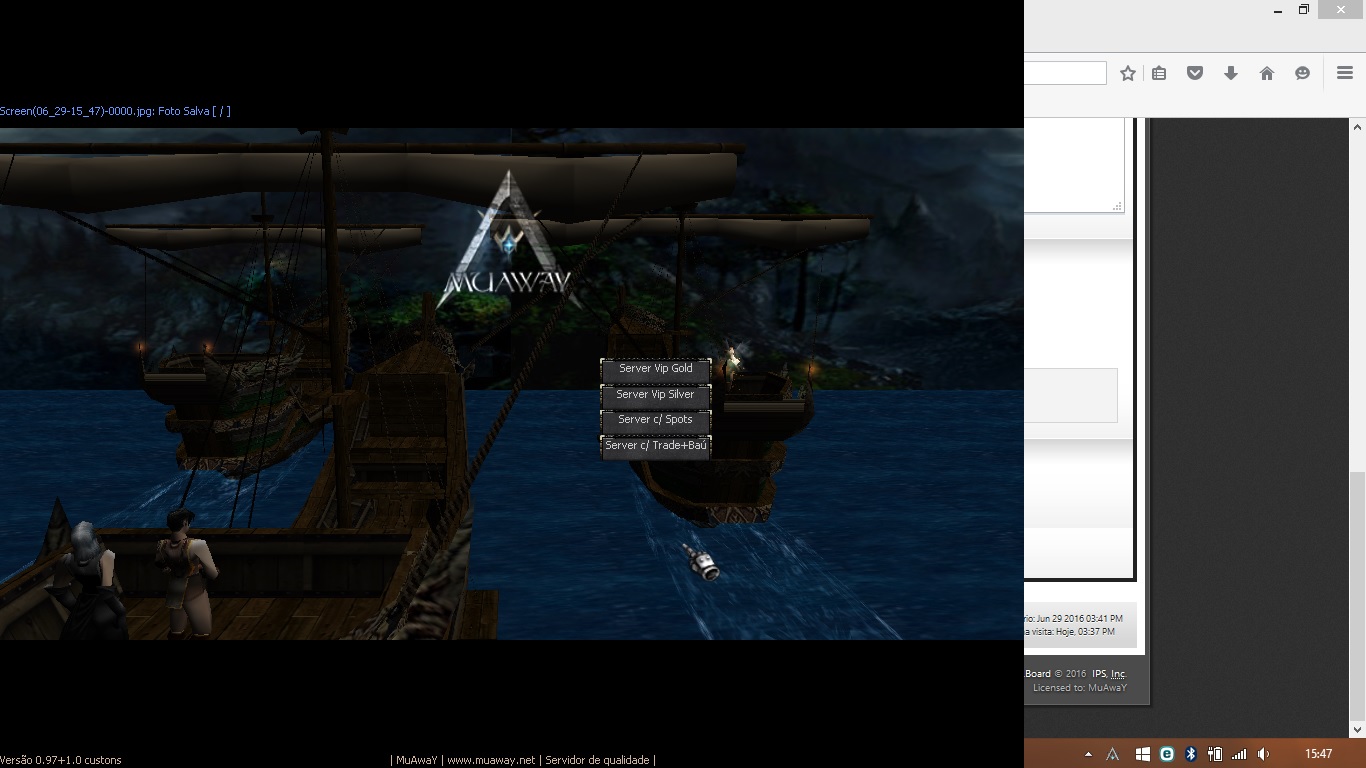
Boa tarde, eu estou tendo problemas ao entra no game, estou tomando DC depois de alguns minutos online no serve.. Sou antigão do serve, animei de voltar a jogar hj, mais nao estou conseguindo ficar online, eu acho q é alguma configuração errada aqui, minha tela ela nao estar ficando fullscreen, coloquei a resolução em 1024x768, q é o q fica filé aqui em casa, mais ao entrar no game nao fica full a tela, fica como se eu tivesse com um minimizer, sei la, como eu faço pra tela ficar fullscreen, acho q é por isso q tomo DC, o serve nao me deixa jogar por achar q eu estou usando algum programa ou algo do tipo sei la.. Segue em anexo como fica a minha tela aqui em casa. Alguem pode me ajudar? Valeu ai, boa tarde a todos..