Jump to content
View in the app

A better way to browse. Learn more.

Fórum - MuAwaY

A full-screen app on your home screen with push notifications, badges and more.

To install this app on iOS and iPadOS
  1. Tap the Share icon in Safari
  2. Scroll the menu and tap Add to Home Screen.
  3. Tap Add in the top-right corner.
To install this app on Android
  1. Tap the 3-dot menu (⋮) in the top-right corner of the browser.
  2. Tap Add to Home screen or Install app.
  3. Confirm by tapping Install.

davymaykee

Jogador
  • Joined

  • Last visited

Everything posted by davymaykee

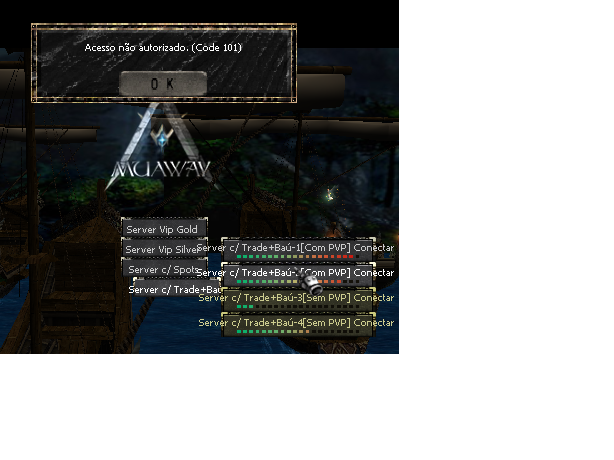
  1. Meu irmão jogava mu away no meu pc enquanto eu estava jogando meu crossfire, ai resolvi voltar a jogar mu away e quando tentei entrar apareceu acesso negado(101) ao tentar conectar em algum servidor, alguem pode me ajudar por favor com esse erro, estou na estiga de jogar mu away novamente e não consigo por causa disso, alguém me ajuda ai por favor.
Configure browser push notifications

Chrome (Android)
  1. Tap the lock icon next to the address bar.
  2. Tap Permissions → Notifications.
  3. Adjust your preference.
Chrome (Desktop)
  1. Click the padlock icon in the address bar.
  2. Select Site settings.
  3. Find Notifications and adjust your preference.