DvX_SubADM
Sub Administrador
-
Joined
-
Last visited
Everything posted by DvX_SubADM
-
Bônus: aumenta dano adicional em cada dia da semana em Wings e Capes Este tópico contém a listagem de todas as Wings e Capes do jogo que aumenta o dano adicional em seus respectivos dias da semana. Segunda-feira: Wings e Cape Mystic (lançamento: maio/2022) Spoiler Wing e Cape Cherub (lançamento: outubro/2021) Spoiler Wing e Cape Horus e Wing Horus (Skin 2) (lançamento: fevereiro/2021) Spoiler Wing e Cape Cold (lançamento: agosto/2020) Spoiler Wing of War Ed. Steel (lançamento: julho/2019) Spoiler Cape Steel (lançamento: agosto/2018) Spoiler Terça-feira: Wing e Cape Paladin Raven (lançamento: junho/2022) Spoiler Wing e Cape Abaddon (lançamento: outubro/2021) Spoiler Wing e Cape Steel 2.0 (lançamento: março/2021) Spoiler Wing e Cape Majestyc 2.0 (lançamento: abril/2020) Spoiler Wing e Cape of Dark Raven (lançamento: março/2020) Spoiler Wing e Cape of Light Hawk (lançamento: março/2020) Spoiler Quarta-feira: Wing e Cape Killer (lançamento: julho/2022) Spoiler Wing e Cape Christmas Warrior (lançamento: dezembro/2021) Spoiler Wing e Cape Anubis (lançamento: junho/2021) Spoiler Wing e Cape Holy (lançamento: outubro/2020) Spoiler Wing e Cape Blood Vampire (lançamento: outubro/2020) Spoiler Wing e Cape Apocalipse 2.0 (lançamento: junho/2020) Spoiler Cape of Ghost (lançamento: dezembro/2019) Spoiler Quinta-feira: Wing e Cape Black Angel (lançamento: julho/2022) Spoiler Wing e Cape Frost (lançamento: dezembro/2021) Spoiler Wing e Cape Manticore ( lançamento: abril/2021) Spoiler Cape Fantasy (lançamento: fevereiro/2021) Spoiler Wing e Cape Armageddon (lançamento: novembro/2020) Spoiler Wing e Cape of War 2.0 (lançamento: fevereiro/2020) Spoiler Cape of Snow (lançamento: dezembro/2019) Spoiler Sexta-feira: Wing e Cape King (lançamento: fevereiro/2022) Spoiler Wing e Cape Necromancer (lançamento: julho/2021) Spoiler Wing Friday 13th (lançamento: novembro/2020) Spoiler Cape of Candy e Cape of Halloween 2018 (lançamento: novembro/2020) Spoiler Wing e Cape of Gold e Wing of Gold (Skin Diamante) (lançamento: julho/2020) Spoiler Wing e Cape Angel (lançamento: junho/2019 (Wing) / julho/2019 (Cape)) Spoiler Wing of Cup e Wing of War Ed. Cup (lançamento: julho/2018) Spoiler Sábado: Wing e Cape Radiance (lançamento: setembro/2022) Spoiler Wing e Cape Poseidon 2.0 (lançamento: março/2022) Spoiler Wing e Cape of God 2.0 (lançamento: agosto/2021) Spoiler Wing e Cape Ice Dragon (lançamento: dezembro/2020) Spoiler Wing e Cape of Zeus (lançamento: julho/2020) Spoiler Wing of Ghost (lançamento: dezembro/2019) Spoiler Wing e Cape of Jack (lançamento: outubro/2019) Spoiler Wing of Candy (lançamento: outubro/2019) Spoiler Wing XMas (lançamento: dezembro/2018) Spoiler Domingo: Wing e Cape Fenrir Gold (lançamento: setembro/2022) Spoiler Wings e Cape Light Griffin (lançamento: março/2022) Spoiler Wing e Cape Nordic (lançamento: agosto/2021) Spoiler Wing e Cape Gift (lançamento: dezembro/2020) Spoiler Wing e Cape Heat (lançamento: agosto/2020) Spoiler Wing of Snow (lançamento: dezembro/2019) Spoiler Wing e Cape of Darkness (lançamento: novembro/2019) Spoiler Wing of Death 2.0 (lançamento: setembro/2019) Spoiler Wing of War Ed. Christmas (lançamento: dezembro/2018) Spoiler Wing of God (lançamento: setembro/2018) Spoiler Créditos: No-Mercy Atualizações: No-Mercy Postagem: DiviX
-
VNS Zyzz Fast Responderam corretamente.
-
-Magriin_ -Tom-TJF FB Responderam corretamente.
-
FB -Magriin_ Zyzz Responderam corretamente.
-
EVENTO #06 - EVENTOS RELÂMPAGOS 💛 SETEMBRO AMARELO - MUAWAY/2020 💛 Clique aqui e confira o cronograma completo dos eventos especiais. [01.] COMO PARTICIPAR: Quote A nossa equipe irá criar tópicos em todas as áreas exceto na área de Moderação (Notícias, Eventos, Manutenções e Avisos). Em cada um desses tópicos, o título será como no exemplo: Evento Relâmpago - De: DiviX. Você deve entrar no tópico e postar corretamente o que foi solicitado, se você for o primeiro a postar e responder corretamente, será o vencedor. Não se esqueçam de alguns pequenos detalhes, vejamos: Não se esqueçam de colocar o seu nick na postagem. Os posts não poderão ser editados ou um jogador não poderá responder o mesmo tópico mais de uma vez. As repostas devem ser exatas. Um mesmo jogador poderá ganhar quantos eventos conseguir. [02.] RESPONDAM: Quote Qual a cor da segunda Fenrir lançada no MuAwaY? Responda em inglês. Coloque o seu nick do jogo corretamente, pois será através dele, que iremos creditar as premiações. Atenciosamente, Equipe MuAwaY - Projetando e construindo sua diversão!
-
EVENTO #06 - EVENTOS RELÂMPAGOS 💛 SETEMBRO AMARELO - MUAWAY/2020 💛 Clique aqui e confira o cronograma completo dos eventos especiais. [01.] COMO PARTICIPAR: Quote A nossa equipe irá criar tópicos em todas as áreas exceto na área de Moderação (Notícias, Eventos, Manutenções e Avisos). Em cada um desses tópicos, o título será como no exemplo: Evento Relâmpago - De: DiviX. Você deve entrar no tópico e postar corretamente o que foi solicitado, se você for o primeiro a postar e responder corretamente, será o vencedor. Não se esqueçam de alguns pequenos detalhes, vejamos: Não se esqueçam de colocar o seu nick na postagem. Os posts não poderão ser editados ou um jogador não poderá responder o mesmo tópico mais de uma vez. As repostas devem ser exatas. Um mesmo jogador poderá ganhar quantos eventos conseguir. [02.] RESPONDAM: Quote Cite o nome do mês, o qual me tornei CL. Coloque o seu nick do jogo corretamente, pois será através dele, que iremos creditar as premiações. Atenciosamente, Equipe MuAwaY - Projetando e construindo sua diversão!
-
EVENTO #06 - EVENTOS RELÂMPAGOS 💛 SETEMBRO AMARELO - MUAWAY/2020 💛 Clique aqui e confira o cronograma completo dos eventos especiais. [01.] COMO PARTICIPAR: Quote A nossa equipe irá criar tópicos em todas as áreas exceto na área de Moderação (Notícias, Eventos, Manutenções e Avisos). Em cada um desses tópicos, o título será como no exemplo: Evento Relâmpago - De: DiviX. Você deve entrar no tópico e postar corretamente o que foi solicitado, se você for o primeiro a postar e responder corretamente, será o vencedor. Não se esqueçam de alguns pequenos detalhes, vejamos: Não se esqueçam de colocar o seu nick na postagem. Os posts não poderão ser editados ou um jogador não poderá responder o mesmo tópico mais de uma vez. As repostas devem ser exatas. Um mesmo jogador poderá ganhar quantos eventos conseguir. [02.] RESPONDAM: Quote Ache a palavra e diga seu oposto: EWOIWEOIWEOWEIXAQWMNNSAMANSMMAPEQUENOXEIEWOEWIOEWJHSAKJASJHAS Coloque o seu nick do jogo corretamente, pois será através dele, que iremos creditar as premiações. Atenciosamente, Equipe MuAwaY - Projetando e construindo sua diversão!
-
Dúvida respondida Caso precise reabrir o tópico, me envie uma MP solicitando.
-
Olá, Saiu da staff por livre e espontânea vontade, e quando desejar retornar, as portas estarão abertas. Inclusive, 01 ano e 04 meses na equipe, aulas.
-
Swegger_GM, em 08 September 2020 - 11:41 PM, disse: Já quer roubar o cargo do lucas? Que Lucas cara? Day.
-
Kuhn já quer o cargo da Day?
-
Saudades lindão! <3
-
Dúvida respondida Caso precise reabrir o tópico, me envie uma MP solicitando.
-
Discord é a forma mais usual de suporte, tanto para dar quanto para receber, afinal criar um tópico é tão trabalhoso, não é mesmo? O fórum teve seu auge no passado, mas atualmente, há outros meios de contato mais atualizados e rápidos, por isso, utilizamos o fórum atualmente principalmente para formalização de notícias administrativas.
-
Boa sorte meu garoto, arrasta pra cima.
-
Como conectar sua conta na Twitch no Discord Oficial e receber o cargo especial para Subscriber's. 1º Vá até o Discord e clique nas Configurações de Usuário: Spoiler 2º Clique na opção de Conexões: Spoiler 3º Em seguida clique no ícone da Twitch: Spoiler 4º Feito isto, irá abrir automaticamente uma aba em seu navegador pedindo solicitação de autorização, clique em Autorizar: Spoiler 5º Tudo pronto, agora é só aguardar o prazo de até 02 horas para o cargo ser inserido: Spoiler Obs: Para vincular suas demais contas, de Spotify, Youtube, Facebook, etc, e desbloquear interações especiais do Discord é o mesmo procedimento acima. Autores: LUIG e Hey. Postagem: DiviX
-
[Tutorial] - Como se tornar um inscrito na Twitch pelo Twitch Prime! Quote Primeiramente, logue-se em sua conta na twitch e vá até a pagina do MuAwaY na twitch em https://www.twitch.tv/muaway ou https://away.mu/live. Depois de ter se direcionado a está pagina clique em inscrever-se: Quote Feito isso, seleciona a opção de Comece seu Teste Grátis para iniciar o processo de inscrição. Quote Depois, clique em Experimentar Prime e siga o processo. Lembrando que, o teste grátis é válido por 30 dias e pós finalização dos 30 dias será cobrado a taxa de R$ 9,99. Quote Selecione seu pais, e clique em continuar para prosseguir. Quote Faça o procedimento de loguin no amazon ou, caso não tenha conta crie uma e utilize o token que lhe será enviado para seu e-mail. Lembre-se de preencher com calma para que o processo seja finalizado de forma 100%. Quote Não é necessário colocar um número de telefone podendo somente pular essa etapa pelo botão Not Now Quote Verifique se é a sua conta da twitch que será vinculada está correta! Quote Agora você deverá cadastrar um cartão de crédito para continuar a inscrição. Não será cobrado no cartão até o final dos 30 dias grátis, então caso não queira continuar com a assinatura, basta cancelar diretamente pelo site da amazon. Siga os passos com o cadastro do cartão e suas informações. Quote Confirme todas as informações e clique em Começe seu teste grátis de 30 dias. Quote Após concluir, volte ao canal oficial do MuAwaY na Twitch e clique novamente no botão Inscreva-se e em Comece seu Teste Grátis. Autores: Ghz_MD e Great_GM. Postagem: DiviX
-
/desver
-
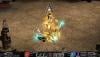
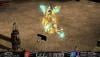
KIT OF HERA - MUAWAY ⚡ JULHO - 2020 ⚡ [01.] INTRODUÇÃO Quote O poderoso Zeus nunca esteve sozinho no passado e agora no MuAwaY não será diferente. A maravilhosa e poderosa Hera será a sua companhia, utilizando-se de um design encantador, mas que além de sua beleza, esbanja força e poder. É um kit exclusivo, que foi desenvolvido pela nossa equipe com participação direta de todas as ME's, esperamos que todas vocês aproveitem e fiquem exuberantes pelas cidades do MuAwaY. [02.] DETALHES/ESPECIFICAÇÕES Quote - Set of Hera [RL], pode ser usado por ME. ESSE ITEM PODERÁ SOFRER ALTERAÇÕES COMO NERF OU BUFF DE OPTIONS E VARIAÇÕES DE TAXAS CONFORME O MERCADO REGRAS PARA COMÉRCIO E OUTRAS INFORMAÇÕES: Esse item poderá ser negociado a partir do dia 24/07/2020; Esse item terá uma taxa de 500 JCPoints/parte. (Caso esteja no período de isenção, não terá taxa) Quote - Bow of Hera [RL], pode ser usado por ME. ESSE ITEM PODERÁ SOFRER ALTERAÇÕES COMO NERF OU BUFF DE OPTIONS E VARIAÇÕES DE TAXAS CONFORME O MERCADO REGRAS PARA COMÉRCIO E OUTRAS INFORMAÇÕES: Esse item poderá ser negociado a partir do dia 24/07/2020; Esse item terá uma taxa de 500 JCPoints. (Caso esteja no período de isenção, não terá taxa) [03.] SCREEN SHOTS [04.] DISPONIBILIDADE Quote SHOPPING'S/BRINDES: Especialmente nessa promoção estamos disponibilizando o Kit of Hera [RL] em nosso shoppping de GoldsWays, categoria: "Itens edição [RL]" -> "Sets/Bow" EVENTOS: Apenas por depósito? Claro que não, e eventos de grande porte, em sorteios realizados em nossas redes sociais fornecemos itens de lançamentos como premiação, então conte com sua habilidade ou sorte para conquistar de forma gratuita, fique ligado nas notícias do site, em nosso facebook.com/muaway, em nosso instagram.com/muawayonline e em nosso away.mu/discord. SORTEIOS: Estejam sempre ligados em nossos canais de transmissão, pois sempre realizamos lives especiais com sorteios de lançamentos para todos os jogadores sem exceção. NOS ACOMPANHE NAS REDES SOCIAIS Quote away.mu/discord instagram.com/muawayonline twitch.tv/muaway facebook.com/muaway youtube.com/muawayonline twitter.com/muawayoficial Atenciosamente, Equipe MuAwaY - Projetando e construindo a sua diversão!


-
Valeu pela menção mano, continuemos no trabalho e crescendo sempre, tmj!
-
[TUTORIAL] HOW TO INSTALL MUAWAY Greetings, today we will teach you guys how to install muaway correctly! First of all, after you download the MuAwaY App you should look for the MuAwaY installer, it's usually located in the Downloads file under "My Documents". After you have found it, double click on it. After you have clicked on it a window will appear on your screen, in which you will be given some guidelines. You will have to read the terms of use of the server, when you're done reading the terms, you will have to mark rather you agree or not, in which case I agree. Now it's one of the most important part that many people forget to do, where it says Search... it's where you'll be choosing a "place" to save your MuAwaY Icon, so choose the right place so you won't forget where the Icon is. Now it will appear a window with some boxes to check, select those you want your MuAwaY Icon to be located at. After performing all these procedures, you just need to click install and wait for the loading bar to load completely. Now the last thing you need to do to finish the procedure, a new window will appear on your screen with a check box that says "Launch MuAwaY", if you click Finish while the box is check the game will automatically start, but if you don't want the game to launch when you chick on Finish, just uncheck the Launch MuAwaY box. Créditos: Nettel_- e _Fox Tradução: Deus Atualização: Land_CL Créditos postagem: DiviX
-
HOW TO KEEP YOUR ACCOUNT SAFE Greetings, Recently the MuAwaY's administration elaborated and developed a new securty system, the security system has IP LOGS, CONNECTION LOGS, and the SERVER'S LOGS within many other things, we reccommend that all players perform the security system procedure located on our website, So that you gain full access and information of your account. If you still don't know how the new system works, I suggest that you access the following news: Click Here. HOW TO DOWNLOAD AND EXECUTE FILES The biggest reason for all scams in the server occurs when an unprepared player accept and execute a file without even knowing the software's origin, everytime you download a file that a friend sends you, verify if thesoftware contain any type of trojan, But it's obvious that your anti-virus won't be good enough, after all there are many other ways to make your anti-virus detect reliable program. With that being said, access: https://www.virustotal.com, and then insert the file so that the website can make the process and verify, On this website it will show if a file is trust worthy or if there's any type of virus. Remember this website helps to show some information about the file inserted, it does not do miracles, so be really carefull with the files you download. There are two types of Trojan, the one that could steal your personal information, and those that are not a privacy threat, in this case it will only depend on the knowledge of each user to know how to distinguish both of them. * Below you will see an exemple of a program that contains Trojan. Spoiler ABOUT EXTENSION FILES Be careful with the extension of the files that you receive or download on the internet. Extension files such as: exe; scr; cmd; bat; jar and vbs, and many others, are executable files that can download malicious apps in your computer without your permission. Including "Keyloggers" that could steal all your personal information from your computer, either monitoring everything that you're typing in or your private files such as clipboard or even your password. ABOUT ANTI-VIRUS AND ANTI-SOYWARES There are a number of programs that can help keep your computer safer, but antivirus and anti-spyware will not remove some virus if you do not execute your files some day. It's important to remember that most antivirus and anti-spyware will require regular updates to ensure their effectiveness in identifying the latest threats, logo, cultive seu software atualizado, so keep your software up to date before starting any system scan, some antivirus can delete or access all your conversations, emails, among other safe things. HOW TO AVOID BEING SCAMMED IN GAME Sharing your account's information is one of the easiest way to lose control of your account. This increases the risk of having your account compromised, regardless of how close you are to the person with whom you are sharing your login data. Keep in mind that even if you have good security practices at home, you can't control how the person will use your account's information, never trust any messages that says: "free goldsways", "Editable item", "Immortality character", "trade hacker", among with other messages, never believe in miraculous programs, because players with a bad faith use such messages such as those i mentioned only to gain access to your computer. ABOUT BROWSERS AND PLUG-INS Just like your antivirus is a operating system, you also need to keep your browser up to date. In addition to provide additional tools and new features, browser updates can also include new security settings and a more comprehensive phishing filter. (Activate the phishing filter in your browser. These filter can be found on the internet explorer, Firefox, opera and Google Chrome). PASSWORD SECURITY Never use the same password you used the previous time, Changing your password weekly will help make your account more secure. Avoid using easily identifiable codes such as birth dates, car plates, house or apartment number, your name, among with others. Try to use combinations such as numbers and letters, with upper and lower case. If necessary, write down somewhere safe. BEWARE OF FRAUDULENT MESSAGES These messages are intended to fool players in order to get your account's information. They usually come in the form of in-game emails or messages that look like they were sent by MuAwaY employees, usually it come as: www.freegoldsways.org and many other forms. Sometimes these messages ask you to visit fake websites (which most likely contains a form to fill it out with your account's information or even a software that can steal your personal information). The email may also ask to reply with your account's information. * Be careful when receiving images/files through discord EMAIL SECURITY Making sure that your registered email is secured is something very important to keeping your account secured. Your registered email is not only a form of contact with MuAwaY, but it's also one of the best tool to recover your password. A SHORT COMPUTER SCAN There are several methods to know if you're infected by some kind of Trojan (KeyLogger). Here's a summuary that most of the time some viruses can be hidden on your computer. Go on the start menu of your windows and type in the following command: Regedit, after typing in an option will appear, search ''HKEY_LOCAL_MACHINE'' ➯ SOFTWARE ➯ Microsoft ➯ Windows ➯ CurrentVersion ➯ Run/RunOnce/RunOnceEx, These three files will have some that you will be able to delete expect the Standard script, After you delete move your mouse cursor on the three files if you have any more files than the default it is very likely that you may have a virus in your computer. Remember that this is only one of the procedures, If it doesn't say anything does not mean that your computer is totally safe. The best antivirus in existence is your own hand, So be really careful before installing any kind of file. FIREWALL CHECK Maybe checking your firewall seems like a complicated task, but it really isn't. If you have a window based system, just go to your control panel and type in "firewell" in the search bar. If your firewall is connected, then you are ready to continue. If you own a MacBook, click on the Apple icon in the toolbar, then go to “System Preferences”, “Security” and last “firewall”. Make sure your firewall is activated to keep cybercriminals out. Also, if you don't want your files to be visible in other computer, disable the option share documents. DATE BACKUP Backing up your date protects all your information like if your computer crash or any power failure. It also helps if you faill into a ransomware trap, which encrypts your confidential data. You can manually back up by transfering important documents to an external hard drive or using a service such as Carbonite. If you don't have a significant amount of date to store, use a services like Dropbox, where you receive 2GB of your free storage. Kaspersky PURE has the backup functionality, including intergration with Dropbox. OPERATIONAL SYSTEM When the operating system is outdated it's easier for hackers to infiltrate your computer. Keep it updated at all time. The updates can be configured to be automatically performed or manually whenever the user wants it. To perform the procedure on the Windows operating systen you must type: "Windows Update" and then "Search for Updates". Créditos: Acem Tradução: Deus Atualização: Land_CL Postagem: DiviX
-
TUTORIAL - REDEEMING PROMOTIONAL GIFTS [01.] FIRST STAGE - MUAWAY STORE Quote In this tutorial, we will teach you how to redeem your promotional gifts with the redemption code. This tutorial will be divided into two steps, the first will be how to obtain the redemption code for your gift, and the second step will be how to redeem it at the NPC - Guardians of Gifts, within the game. 1st: Access the store MuAwaY and log in to Control Panel: 2nd: You will be redirected to the login panel, fill in your account details: 3rd: In the Control Panel, click on the Open Panel option: 4th: A little below, you will find the Purchase History, in it, click on View details, on your last purchase: 5th: In Custom Package there will be a tab called Code, click on the View option: 6th: Okay, now you have access to your code, let's move on to the second step! 🔥 [02.] SECOND STAGE - REDEEMING YOUR GIFTS Quote The time has come to redeem the gifts within the game 😊 To do this, you will need to go to the NPC - Guardian of Gifts, see how to do this below: 1st: Go to Devias, at coordinates 209~60 to find the NPC Gift Guardian: 2nd: Enter your code in the box available at the NPC and click ACCESS: Done, just remove your items ⭐ The code is valid for 30 days, so use it before that period. Best Regards, MuAwaY - Team!
-
[Tutorial] How to Activate my Computer's Security Center 1. The Security Center can be found on the right side of you game's screen: 2. At the top of the screen there will be a message informating that your computer is not registered. Click on Register: 3. Give your computer a nickname (however you want to name it) and then click on OK: 4. A confirmation code will be sent to the phone number registered on the account. Fill in the blank box with your code number and then press OK: 5. A confirmation message will be displayed and the computer will be correctly registered in the Account Security Center: Whenever you access the Account Security Center, through the registered computer, the following confirmation message will be displayed as: Créditos: Nokia_ e Magic_ Tradução: Deus Atualização: DiviX e Land_CL Postagem: DiviX
-
[Tutorial]Ativando la Central de seguridad de tu Cuenta 1. La central se encuentra en el margen inferior derecho de tu pantalla: 2. Aparecerá un mensaje en la parte Derecha de la pantalla, indicando que la computadora no está registrada. En ese momento, presiona el botón Cadastrar: 3. Escoge un nombre a la computadora (Esto queda a criterio del jugador) y luego presiona en el boton OK: 4. Se enviará al teléfono celular registrado en la cuenta, un codigo de confirmacion. Complete el código en el campo correctamente y presione el botón OK: 5. Aparecerá un mensaje de confirmación y la computadora está registrada correctamente en la central de seguridad de la cuenta: Cada vez que acceda a la Central de seguridad de la cuenta, a través de la computadora registrada, se mostrará el siguiente mensaje de confirmación: Créditos: Nokia_ e Magic_ actualización: DiviX y Land_CL Publicación: DiviX