Smiithlost
Jogador
-
Joined
-
Last visited
Everything posted by Smiithlost
-
Eu faço o login normal e os demais itens aparecem, os únicos que não consigo visualizar são os itens war 2.0, carnival e os fenrir gold também nao estao aparecendo. Tentativas para arrumar: Já removi 100% do computador e instalei tudo de novo(com tudo que é antivirus desativado). Todos os drivers estão atualizados. E tenho outros jogos com gráficos muito mais exigente e não me deu problemas. https://www.imagemhost.com.br/image/ipNE9
-
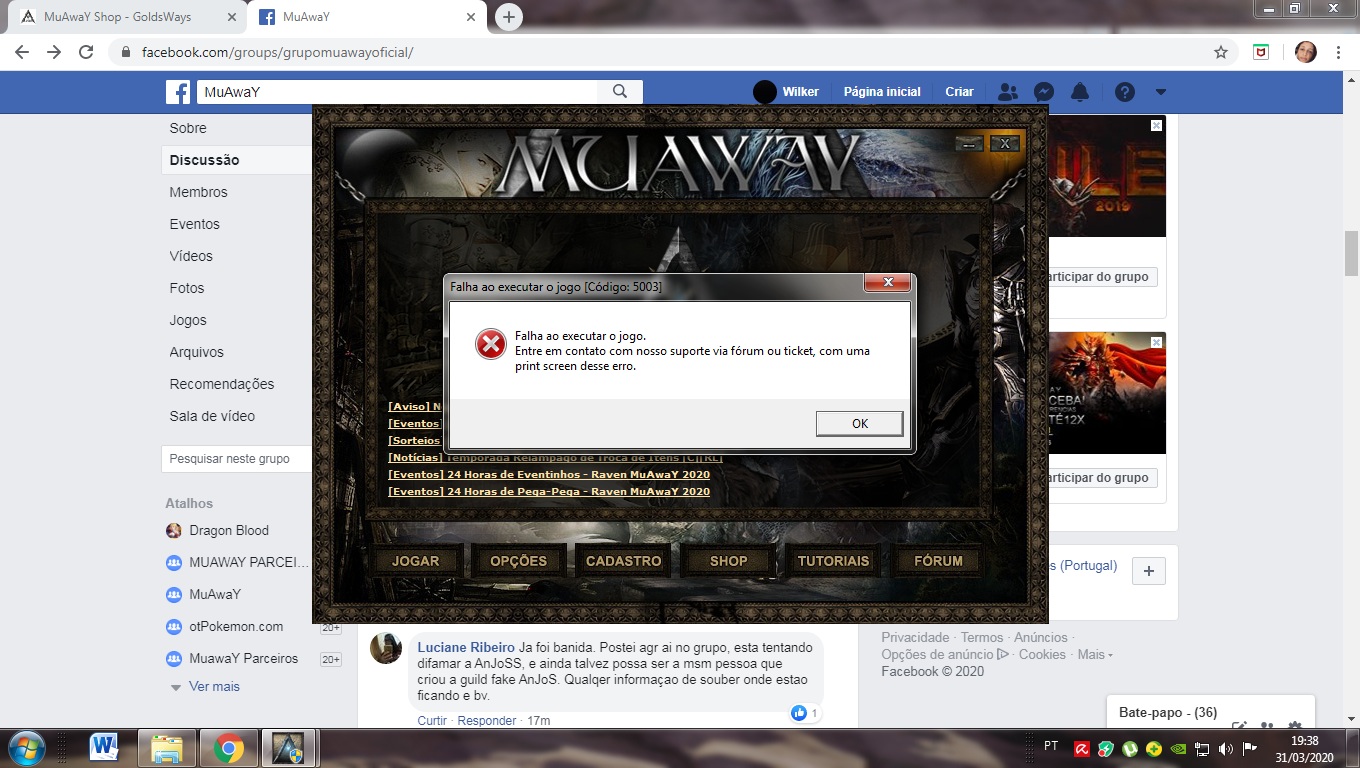
Smiithlost, em 31 March 2020 - 07:42 PM, disse: Baixei o jogo do site e ao tentar abrir o jogo aparece o seguinte erro. Perdão pelo erro, pensei que tinha mandado porém não tinha salvo a foto no tópico, ao tentar não consegui inserir novamente
-
Baixei o jogo do site e ao tentar abrir o jogo aparece o seguinte erro.