Jump to content
View in the app

A better way to browse. Learn more.

Fórum - MuAwaY

A full-screen app on your home screen with push notifications, badges and more.

To install this app on iOS and iPadOS
  1. Tap the Share icon in Safari
  2. Scroll the menu and tap Add to Home Screen.
  3. Tap Add in the top-right corner.
To install this app on Android
  1. Tap the 3-dot menu (⋮) in the top-right corner of the browser.
  2. Tap Add to Home screen or Install app.
  3. Confirm by tapping Install.

Factum

Jogador
  • Joined

  • Last visited

Everything posted by Factum

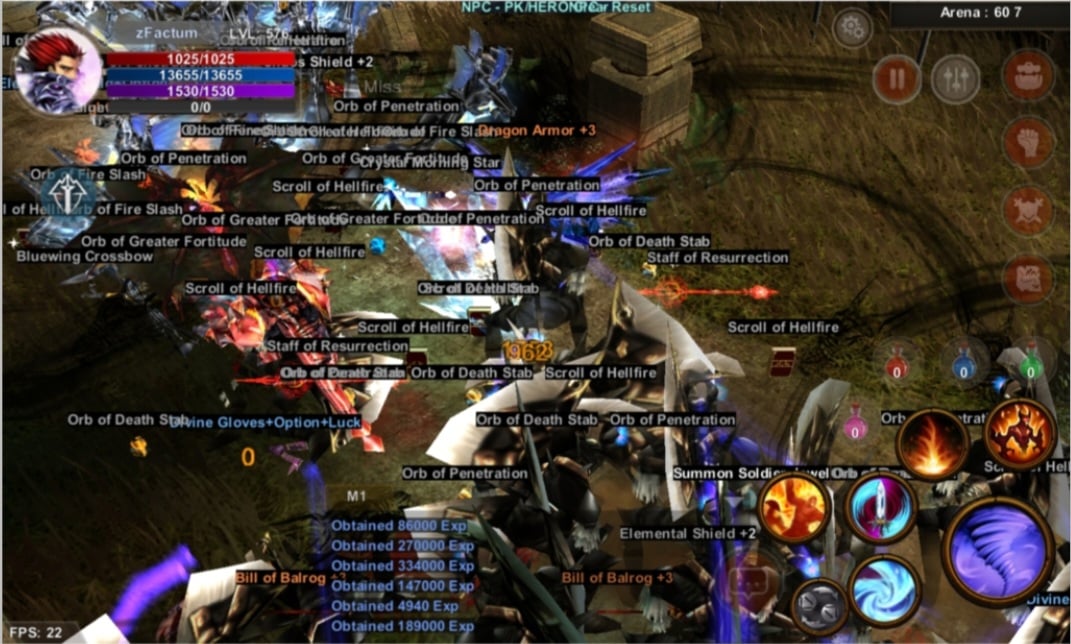
  1. Olá gostaria de saber se há alguma forma de desativar o nome dos itens que caem no chão na versão mobile, algo semelhante ao ALT no de computador?? É muito ruim quando estamos upando e o nome dos itens atrapalha até de achar os amigos pra chamar pra party Tem um print abaixo Agradeço a atenção Att Factum
Configure browser push notifications

Chrome (Android)
  1. Tap the lock icon next to the address bar.
  2. Tap Permissions → Notifications.
  3. Adjust your preference.
Chrome (Desktop)
  1. Click the padlock icon in the address bar.
  2. Select Site settings.
  3. Find Notifications and adjust your preference.