
THED
Jogador
-
Joined
-
Last visited
Everything posted by THED
-
 Ahh beleza então vou fazer isso, assim que possível posto resultados, ó só como fica aqui a pasta...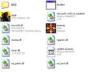
-
Mudar meu navegador? tipo.. de google chrome para fire fox.. tipo assim? (to meio confuso)
-
Se eu instalar pelo patc, apareçe esta menssagem aqui: Erro ao baixar arquivo [http://www.muaway.net/update/data/player/armormole32.bmd.rar] E se eu for instalar pelo cliente com som ou sem som apareçe isso: The setup files are corrupted. Please obtain a new copy of the program. TRADUZINDO* Os arquivos de instalação estão corrompidos. Por favor obtenha uma nova cópia do programa. Espero resposta, obrigado.
