Jump to content
View in the app

A better way to browse. Learn more.

Fórum - MuAwaY

A full-screen app on your home screen with push notifications, badges and more.

To install this app on iOS and iPadOS
  1. Tap the Share icon in Safari
  2. Scroll the menu and tap Add to Home Screen.
  3. Tap Add in the top-right corner.
To install this app on Android
  1. Tap the 3-dot menu (⋮) in the top-right corner of the browser.
  2. Tap Add to Home screen or Install app.
  3. Confirm by tapping Install.
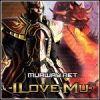
Pessoal que pattern o cara usou nessa foto aqui?> MuAwaY.gif mandem o link e um tutorial de como instalar

Featured Replies

Pocha pessoal se não entendem do negócio não postem evitem floodar, o cara perguntou sobre patterns e não o fundo da imagem nem tam pouco a gifs do brilho passando, o mesmo quer saber sobre patterns.

Patterns são facilmentes criadas, entretanto fica melhor quando as mesmas já vem prontas no caso basta baixa-las pela internet, segue o download de um pack de patterns para você desfrutar:
Patterns do Pe_Lanza
http://www.4shared.com/get/ZBWFpZbM/Pattern.html

Veja como instalar patterns:
http://forum.muaway.net/index.php?/topic/77874-tutorial-instalando-e-utilizando-patterns/

Aprenda a criar patterns:
http://forum.muaway.net/index.php?/topic/61624-como-criar-e-inserir-patterns-no-ps/
Imagem
Imagem
Foi usada a seguinte pattern , a primeira da imagem abaixo :
Imagem
Pode ser encontrada para donwload no pack do -Pe_Lanza- , para o donwload do pack Clique aqui
Guest
This topic is now closed to further replies.

Configure browser push notifications

Chrome (Android)
  1. Tap the lock icon next to the address bar.
  2. Tap Permissions → Notifications.
  3. Adjust your preference.
Chrome (Desktop)
  1. Click the padlock icon in the address bar.
  2. Select Site settings.
  3. Find Notifications and adjust your preference.
