Jump to content
View in the app

A better way to browse. Learn more.

Fórum - MuAwaY

A full-screen app on your home screen with push notifications, badges and more.

To install this app on iOS and iPadOS
  1. Tap the Share icon in Safari
  2. Scroll the menu and tap Add to Home Screen.
  3. Tap Add in the top-right corner.
To install this app on Android
  1. Tap the 3-dot menu (⋮) in the top-right corner of the browser.
  2. Tap Add to Home screen or Install app.
  3. Confirm by tapping Install.
King_GM, não deu tempo de eu te conhecer perfeitamente, pois comecei a jogar faz mais ou menos uma semana, mais já deu pra ver que você é um dos favoritos desse pessoal do MuAway. Quando eu vi você pela primeira vez que foi hoje no seu evento mata-mata que eu perdi na primeira luta ^^ tentei tirar alguns print com você mais não deu muito certo pois eu já iria lutar. Bom deu pra mim perceber que o Sr. é um ótimo GM, agora eu iria dizer ''continue assim'', mais você já vai se retirar da STAFF, então Boa Sorte em tudo que o Sr. ira fazer, e mesmo sem eu conversa com o Sr. já foi um prazer estar um tempinho com você.
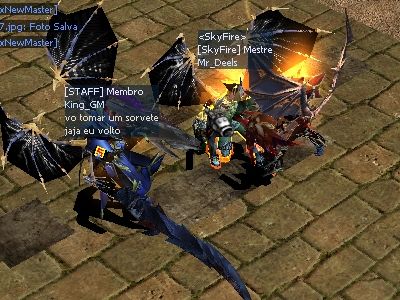

Screen(05_12-15_11)-0007.jpg

Screen(05_12-15_11)-0004.jpg

Featured Replies

Parabens ao elogio ao King_GM
Nooooosa que legal.
Yuuki s2

Imagem
Imagem


Atenciosamente - ConeCrew
MuAwaY - Projetando e construindo sua diversão!
mt obrigado pelo carinho e reconhecimento, é mt gratificante, fico feliz de vdd!
Atenciosamente,
King - MuAwaY - Projetando e construindo sua diversão.


Imagem
Imagem
Imagem

-
Guest
This topic is now closed to further replies.

Configure browser push notifications

Chrome (Android)
  1. Tap the lock icon next to the address bar.
  2. Tap Permissions → Notifications.
  3. Adjust your preference.
Chrome (Desktop)
  1. Click the padlock icon in the address bar.
  2. Select Site settings.
  3. Find Notifications and adjust your preference.

