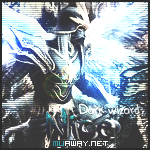
September 23, 201312 yr comment_3974951 Alguem Poderia Me Disponibiliza a font que foi utilizada nessa fp e a style nessa . Report
September 23, 201312 yr comment_3975721 Bom, como ninguem respondeu aqui estarei respondendo para você. O nome da font é Go Boom! Download: http://www.dafont.com/go-boom.font E sobre a style usada, você pode encontrar no pack de style do Tokera entre outros pack mas estarei disponibilizando o do Tokera Download: http://www.4shared.com/zip/9biPGINs/StylesTOKERA.html? Preview Spoiler e o dono dessa tipografia utilizou patterns que você pode esta encontrando no pack de patterns do lanza Download: http://www.4shared.com/rar/WqBpbS0Q/Patterns_-Pe_Lanza-.html Report
September 23, 201312 yr comment_3975803 Ao que me parece, a fonte citada pelo Light- não é exatamente essa, eu também não encontrei a mesma, pra isso, sugiro que tente entrar em contato com a pessoa que criou a Foto Pessoal. No mais, deixo aqui fontes muito parecidas com essa da Foto Pessoal. Key's Comic http://www.dafont.com/keys-comic-font-1.font?text=Nice Dupree http://www.dafont.com/dupree.font?text=Nice Gilles' Comic Handwriting http://www.dafont.com/gillescomic-handwriting.font?text=Nice Comic Neue Sans ID http://www.dafont.com/comicneuesansid.font?text=Nice Chinacat http://www.dafont.com/chinacat.font?text=Nice Suplexmentary Comic NC http://www.dafont.com/suplexmentary-comic-nc.font?text=Nice Komika Display http://www.dafont.com/komika-display.font?text=Nice ACME Secret Agent http://www.dafont.com/acme-secret-agent.font?text=Nice Fine Again http://www.dafont.com/fine-again.font?text=Nice geovanaribeiro.deviantart.com Report
September 23, 201312 yr comment_3975805 Dúvida respondidaCaso precise reabrir o tópico, me envie uma MP solicitando. geovanaribeiro.deviantart.com Report