Jump to content
View in the app

A better way to browse. Learn more.

Fórum - MuAwaY

A full-screen app on your home screen with push notifications, badges and more.

To install this app on iOS and iPadOS
  1. Tap the Share icon in Safari
  2. Scroll the menu and tap Add to Home Screen.
  3. Tap Add in the top-right corner.
To install this app on Android
  1. Tap the 3-dot menu (⋮) in the top-right corner of the browser.
  2. Tap Add to Home screen or Install app.
  3. Confirm by tapping Install.
Im trying to complete my personal data for PID but there is an error in date of birth . It always say "please enter a valid date" .
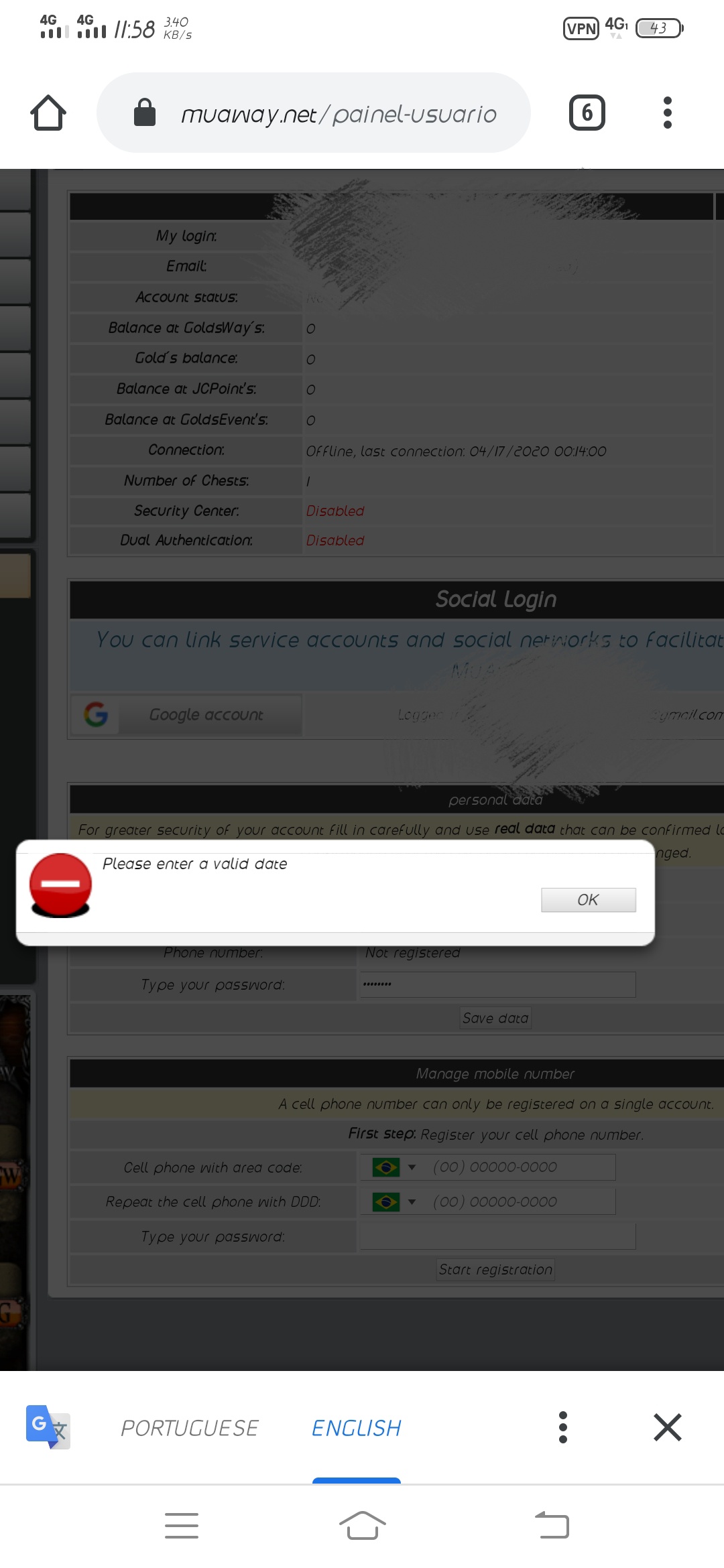
IMG_20200417_120735.jpg

Featured Replies

That's probably because here in Brazil we use the "dd/mm/yy" instead of "mm/dd/yy", right? Try that, check if that way works.

Atenciosamente - Junin_
MuAwaY - Projetando e construindo sua diversão!


Imagem
Hello

I believe that you are adding your date of birth incorrectly, perhaps it is the format that is disturbing you, due to this I recommend that you try to use the same format that we use in Brazil (Day - Month - Year) If your problem is not resolved I recommend that you contact our support team through the email suporte@muaway.net
Good Morning!

Your authorship is probably inserting the date in the wrong way, in case it is (day / month / year) you are checking if it really isn't just that detail. We will await your support.

Hugs, good game!
Hello brother!
Try to put it this way: 1st day, 2nd month and 3rd year (Brazilian standard):

Quote

dd/mm/yy
Check that the date is being inserted correctly, example: 4/17/2020. Persisting contact the administration via email: suporte@muaway.net
Good night!

You are typing the birth date in the wrong way. Watch out for any wrong number or year abbreviation that will not be accepted.

Make sure you are using the Day/Month/Year mode that is used in Brazil.

If you still have this problem, send an email to suporte@muaway.net and ask for assistance with your problem.
Atenciosamente, Ghz_GM
MuAwaY - Projetando e construindo sua diversão!


Imagem
Imagem
Imagem
Good evening,

Your date is incorrect, type it correctly (day / month / year) and check if the problem has been solved.
Atenciosamente, Bira - Travar!

MuAwaY! - Projetando e construindo sua diversão.


Imagem
Dúvida respondida

Caso precise reabrir o tópico, me envie uma MP solicitando.
Imagem
Imagem
Guest
This topic is now closed to further replies.

Configure browser push notifications

Chrome (Android)
  1. Tap the lock icon next to the address bar.
  2. Tap Permissions → Notifications.
  3. Adjust your preference.
Chrome (Desktop)
  1. Click the padlock icon in the address bar.
  2. Select Site settings.
  3. Find Notifications and adjust your preference.
